- Style
- BPM
- Length
First time here? Learn to play in 30 seconds.
This game has flashing lights, lightning and quickly changing patterns.
If you feel dizzy, see changes in your vision, twitch or feel confused, stop playing and see a doctor.
You can tone down lights, flashes and lightning in Settings › Photosensitive mode.
Tap to continuePress any key to continue
Play the riff. Own the stage.
Tap to startPress any key
Stray taps 0Holds 0
Raise it if notes feel early compared to the music (common with Bluetooth).
Removes flashes, lightning, lights that pulse with the beat and the OVERDRIVE light show. Hits still show, gently.
Too much on screen? Set Video › Effects to Low for a quieter highway.
Low takes the lightning, banners and flashes off the highway. Pick it if the show gets in the way.
60 is smooth on any screen. Higher rates work your graphics card harder.
Auto lowers the resolution only when frames drop.
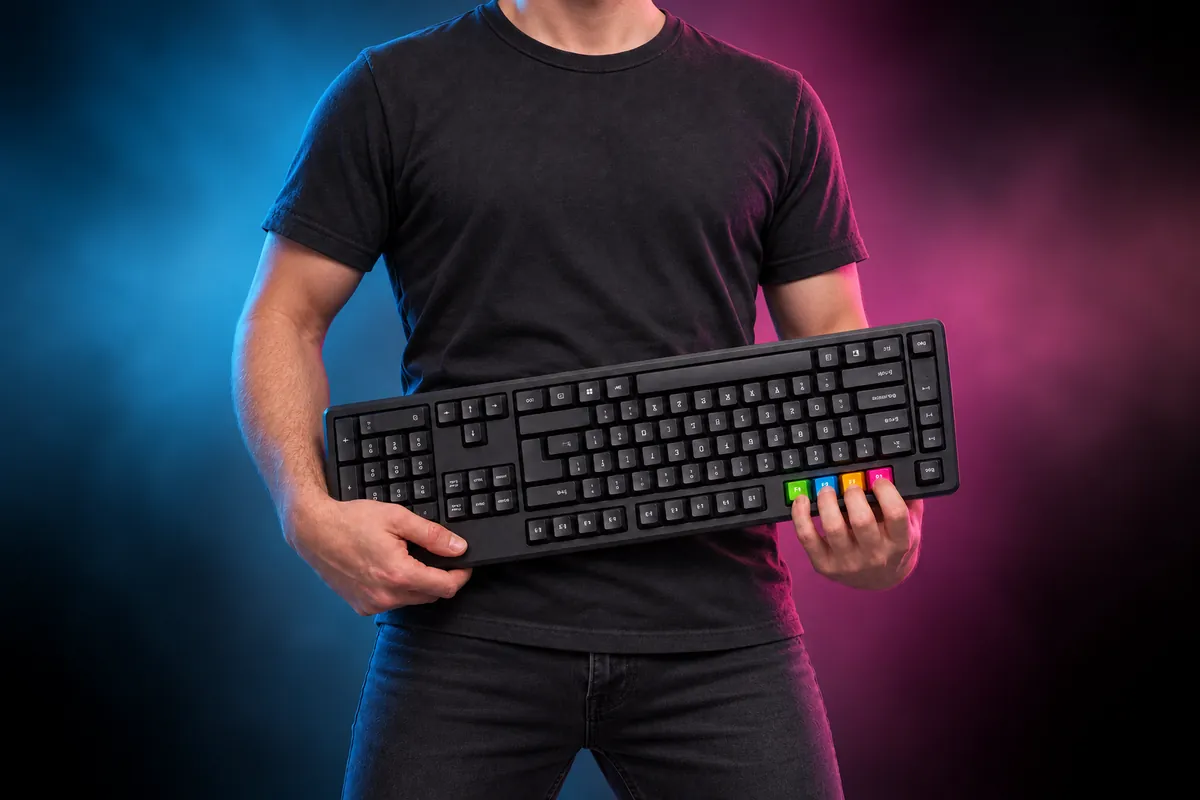
Flip the keyboard upside down and hold it like a guitar: F1, F2, F3 and F4 become your frets.
Click a lane, then press any key. F1–F4 work too. Esc cancels.
Bend a long note while holding it: tap or hold Space or Shift.
Bend a long note while holding it: move either analog stick.